
Global wine trade is dwindling. Fewer people are drinking expensive wine. The ones who still do are pickier than ever – especially when it comes to shopping at smaller stores. So, most mid-to-small-scale wine shops today are sitting on more stock than they should. These stores simply cannot afford to make stock-related mistakes.
Not using world-class wine shop POS systems for managing sales is the worst mistake storeowners can make in this environment.
These systems keep live records of what’s being sold, instantly update the stock counts, and guide storeowners on what to buy next and when – based on customer demand.
In this blog, we’ll explain 7 reasons why wine shop POS systems are business-critical tools in the industry today. We’ll show how, in addition to boosting sales, protecting stock, and cutting costs, they also enable business growth in other subtle ways.
What Are Wine Shop POS Systems? How Do They Work?
Point-of-Sale (POS) systems are combinations of hardware and software tools that all kinds of modern stores use to process customer purchases.
Unlike old-school cash registers that only add up prices, these systems can update stock figures in real time and create digital sales records that owners can use to better manage their business.
Wine-store-specific POS systems are customised to perform even more tasks, like:
- Track stock changes simultaneously by the single bottle, 6-pack, or full case in real-time
- Prompt cashiers for mandatory age verification
- Processes payments
- Record every customer detail in a searchable database
To see how wine shop software systems take on all of these tasks — simultaneously — let’s go through what these tools do when a customer buys a single 750ml bottle from a case:
📱Barcode-Scanning: The cashier scans the bottle’s UPC label or customer sticker
🆔Age Verification: The screen prompts the clerk to scan the buyer’s ID
💰Billing: The system calculates local sales/excise taxes
💳 Payment Processing: The customer taps their phone/credit-card on the reader, and the system records the receipt digitally
📦Linked Inventory Deduction: The system auto-deducts one 750ml bottle from the shop’s total count and updates the broken case
🛒Sales-Reporting: The sale appears instantly in the owner’s daily margin report with full details
As you can see, there are 2 technology layers working here:
- The billing, scanning, age-verification, payment-recording, and other customer-facing work is handled by the front-counter layer
- Tasks like vendor catalogue tracking and multi-channel stock syncing are handled by wine shop management software’s back-office layer
These wine-store-specific layers are built into these POS systems.
So, even small-scale, inexperienced storeowners find them awfully easy to use.
And they start experiencing various business efficiency gains — almost right away.
7 Ways Wine Shop POS Systems for Managing Sales Improve Business Operations
Meticulously recorded transactions at the counter trigger a cascade of other benefits for wine stores:
1. Faster, More Accurate Billing
Using wine shop POS systems for managing sales means storeowners no longer need to manually type out product names and their prices. These systems come pre-loaded with:
- Databases of thousands of wine, beer, and spirits barcodes for instant tracking/reporting
- Built-in label generators for small-batch imports that arrive without UPC codes
- Mandatory age check screens
These features enable fast, mistake-free billing, which then:
- Keep customer queues constantly moving
- Ensure that every bottle sold is recorded under its exact vintage and size
- Give storeowners clear data on which of their items are selling the most/least every day/week
2. Multiple Payment Options
Modern wine shop POS systems support multiple payment processing procedures in the checkout flow. They allow:
- Customers to pay with chip cards, Apple Pay, Google Pay, custom store gift cards, or loyalty points
- Shops to offer split-payment options
This form of integrated payment processing reduces the need for storeowners to enter the same transaction amount into separate systems. That makes end-of-day reconciliation easier because sales and payment records are always stored together.
And since these systems also facilitate payments with gift cards, it becomes easier for wine stores to launch, oversee, and track their digital/off-line marketing campaigns.
3. Real-Time Sales Tracking
A retailer shouldn’t have to wait until the end of the month to discover which wines are selling.
Wine shop POS systems for managing sales track, update, and display transactions as they happen and automatically organise them by product, category, price range, supplier or sales period.
A shop owner can instantly review the figures remotely – or in person, and then identify busy periods to see which products are gaining/losing momentum.
Those insights can also help decide when to publish offers or seasonal updates online.
4. Better Pricing and Discount Management
Wine prices fluctuate constantly and can change whenever:
- Distributors update their costs
- Import tariffs surge
- New vintage cases arrive, making existing stock lose value
- Limited-release bottles become harder to source, increasing the existing stock’s value
Storeowners who maintain separate spreadsheets or handwritten price lists often miscalculate their products’ costs and thus share outdated prices at checkout.
A POS system gives the shop a central place to:
- Update product prices simultaneously in real time
- Apply authorised discounts only to the right products
When every transaction and promotion runs through a tracked discount rule, the owner can:
- Check which discount offers actually increased average basket size
- Double down on only the offers that work
5. Easier Returns and Refund Management
Wine shop POS systems for managing sales have digital transaction records that allow staff to look up the original purchase by receipt barcode, credit card, or customer name – whenever customers return products. They can instantly pull up that info and then process the exchange in seconds.
These systems also let staff note the reason for each refund, with codes like ‘breakage.’ The better you handle refunds at the counter, the more disappointed buyers you can turn into return buyers!
6. Improved Customer Experience
As grocery chains and big-box retailers push harder into alcohol sales, independent wine shops cannot win on price alone. To succeed, independent wine shops need to:
- Build a loyal base of repeat neighbourhood regulars
- Create a welcoming, friction-free shopping atmosphere
- Give shoppers personalised experiences by remembering their preferences and past orders
POS technology supports all three of these essential, customer-experience-enhancing tasks.
By accessing liquor store POS software on a tablet, staff can better serve customers in the aisles, finalise orders on the spot, and take payments right by the wine racks.
Whenever regulars check out, the software can show their previous purchases — so the clerks on duty can say, ‘How’d that — wine you bought last month work out?’
Every smooth checkout like this is also a chance to invite the shopper into the store’s loyalty program and build the customer database that will power the shop’s digital marketing efforts.
7. Detailed Sales Reports and Analytics
Wine shop owners need to know 3 things in advance, every week/month:
- Which bottles are in high enough demand to be recurring items on their shelves?
- Which ones aren’t selling?
- What products do they actually need to reorder?
Wine shop POS systems for managing sales constantly give store owners access to these 3 critical info points:
- They automatically grade every item in the inventory
- Grades A-D show how consistently and profitably each stock item is
- Storeowners get a clear picture of how consistently every stock item performs
These systems also have detailed analytics dashboards that let storeowners:
- Review seasonal/yearly sales patterns
- Study recent stock movements to pre-create supplier orders
- Examine sales and inventory info across different sales channels and store locations
Storeowners can then share these reports with their marketing team.
The marketing team can then use that info to create dedicated pages for the store’s actual best-selling items during specific time periods.
How Wine Shop POS Systems for Managing Stock Prevent Inventory Problems
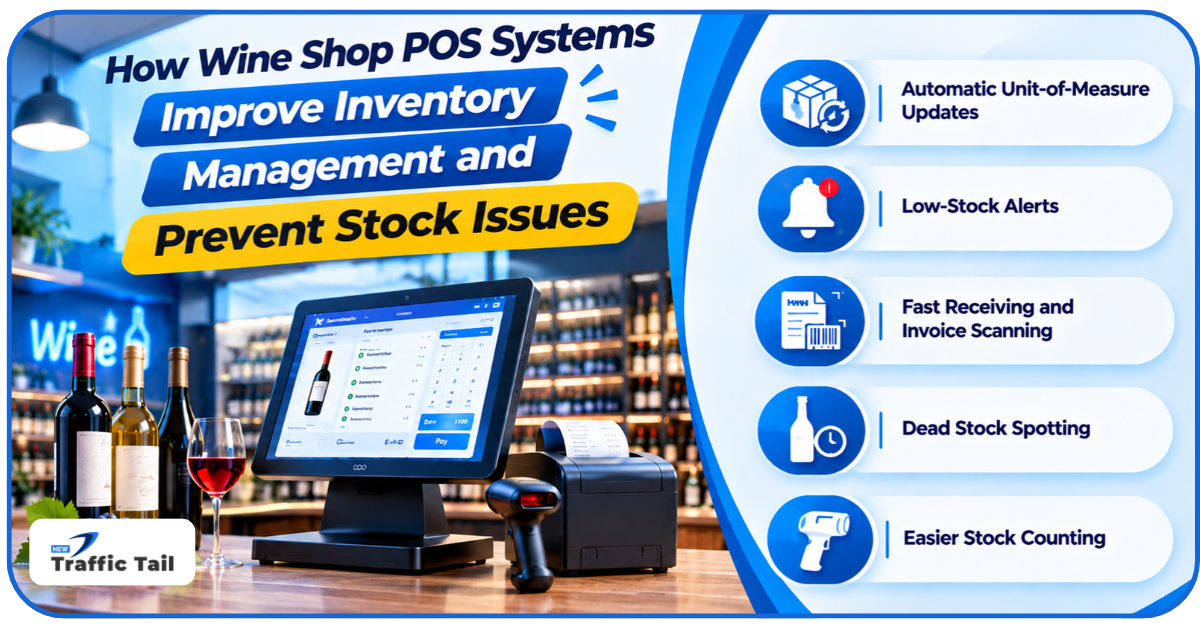
By using wine shop POS systems for managing sales and stock, store staff get access to features like:
- Automatic Unit-of-Measure Updates: Whenever a sale is scanned at the register, the system auto-deducts the exact item from the specific case count
- Low-Stock Alerts: They can set minimum stock thresholds for their best-selling liquors, and the software will then send alerts whenever important stock levels are low
- Fast Receiving and Invoice Scanning: Wine shop POS systems for managing stock can scan paper/PDF invoices to update stock quantities and flag wholesale cost increases on-the-spot
- Dead Stock Spotting: Ageing and A-D grades highlight slow-moving bottles that haven’t sold in <90 days, which allows the owner to time-efficiently bundle them into discount packages
- Easier Stock Counting: Rather than manually counting thousands of bottles, staff can use integrated phones or handheld scanners to effortlessly count one aisle at a time
By using wine shop POS systems for managing stock, storeowners also get to publish accurate product data on their Google Maps and the shop’s website. That way, local searchers/shoppers get to see what’s actually on the shelf and can order accordingly with no risk of disappointment.
How POS Data Can Support Wine Shop Marketing and Business Growth
Here are some other subtle marketing advantages of using these systems:
Turn Top-Selling Categories into Website Pages
Marketers can get data on the top-performing liquors from the POS 2-3 months ahead of major holidays and build dedicated category pages and buyer guides around those high-demand items.
Spot Local Shopping Trends Early
They can use basket-size and price-band reports from the wine shop POS systems for managing sales to see what local buyers actually want and then create promotional packages around them.
Run Google Business Profile as a Live Storefront
Integrating the liquor store POS system’s inventory data with Google’s Merchant Centre will ensure that nearby searchers always get to see live in-store stock details right on Google Maps.
Plus, regularly updated Google Business profiles earn up to 5x more views on local searches.
Publish Helpful Blogs that Supermarkets Cannot Copy
A local wine shop can publish practical, staff-written guides on the shopping patterns they observe on their POS system. They can publish relevant, customer-centric blogs on:
- Food pairings for most-bought items
- Guides on how to read a new, fast-rising product’s label
- How to store highly-purchased bottles in warm weather
Connect Website Analytics with Counter Activity
The store’s marketing team can use Google Search Console and website analytics to see which blog posts, tasting event pages, and local search terms bring the most visitors to the site.
They can then compare those peaks against in-store POS sales of the featured products during the same week to check which aspects of their online and offline marketing efforts need improving.
Measure Campaigns with Real Checkout Numbers
With the data from their POS systems, store admins can measure whether their marketing campaigns are successful or not by checking a variety of metrics like:
- Google Business Profile calls
- Online click-and-collect orders
- Promo-code redemptions at the register
- Average basket size at checkout
These additional data points help storeowners plan more measured, data-based marketing campaigns.
Conclusion
If smaller wine stores want to compete in the tightening wine market, they have to be just as tech-savvy as the giants. Using wine shop POS systems for managing sales is the first and easiest step toward that.
These systems allow them to collect accurate stock counts and local buying insights. That information then helps them create a more up-to-date digital presence and find newer arenas for online growth.
They can then turn their store websites into powerhouses full of helpful, SEO-optimized guides and a strong local conversion strategy with some expert digital marketing assistance.
FAQs
Q1- Can a wine shop POS system integrate with accounting software?
Yes. Most of the leading wine shop POS systems today integrate with accounting tools like QuickBooks or Xero.
Q2- Is cloud-based POS software better than traditional POS software?
Yes. Unlike traditional POS tools, cloud-based systems allow owners to:
- Check live sales
- Approve price changes
- Manage multi-store inventory remotely
Q3- How can AI improve wine shop POS systems in the future?
AI is already in many modern wine shop POS platforms, being used for:
- Instant invoice scanning
- Auto stock cost updates
- Predictive ordering
Q4- Can a wine shop POS system support multiple retail outlets?
Yes. Multi-store wine POS systems allow owners to manage several branches from one central dashboard.
Q5- What security features should my wine shop POS system have?
It must have:
- PCI-compliant payment processing
- End-to-end encryption
- Role-based staff permissions
- Automatic cloud backups